Client handoff
Put the finish schedule in the client's hands as a branded PDF and a live share link, with a revision trail when someone asks what changed after the last meeting.
7-day trial. Card required. Cancel before day 7 and you are not charged.
Included on Pro and up. Watermark-free PDF is Pro and up.
What handoff is for
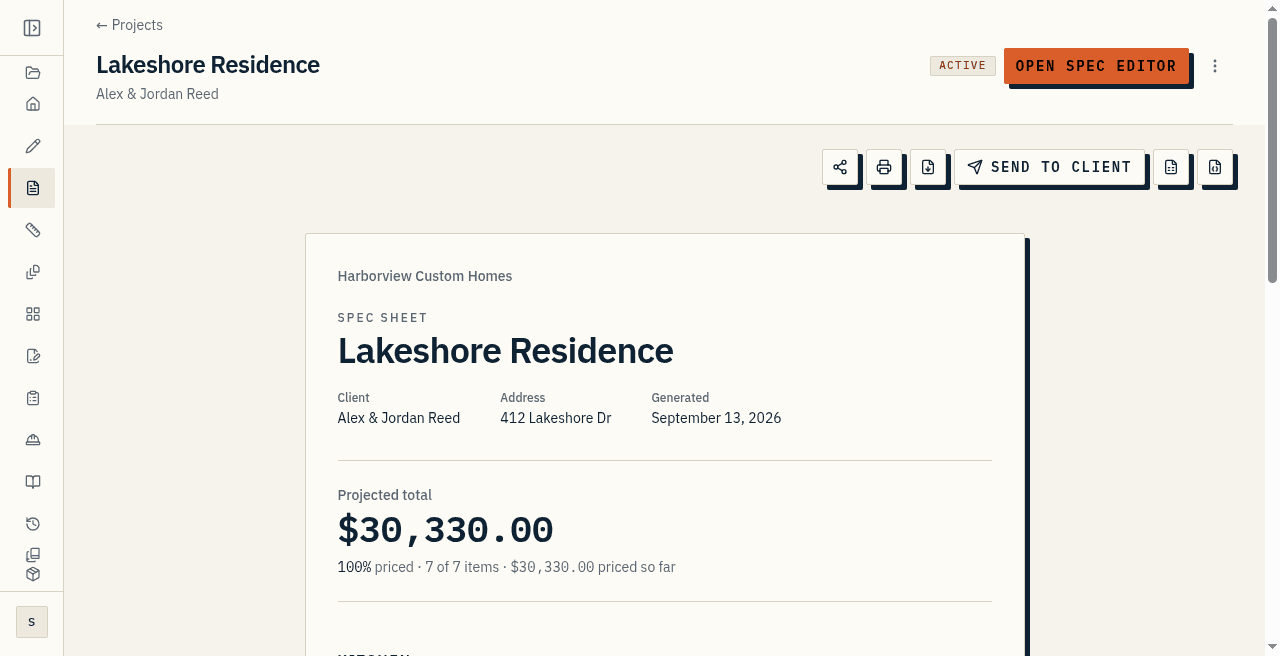
The finish schedule is not finished until the client can hold it. Handoff is how you put that sheet in their hands without rebuilding it in Word, and without hoping the PDF you emailed last Tuesday still matches the kitchen. You send a branded PDF when you want a frozen artifact, and a live share link when you want them looking at today's numbers.
Included on Pro and up. Watermark-free PDF is Pro and up. Cost, markup, and projected profit stay off both surfaces. That fence is enforced on the server.
What the client gets
The client sees your company name, the project, the sections, the items, and the allowances you chose to show. They do not see unit cost, markup, or projected profit. On the live link they open a browser. No account. On the PDF they get a letter-size finish schedule they can file or hand across a table.
If the project has tiers, the PDF names the one you exported. Clients compare Good, Better, and Best on the live link. Comments and approvals live on that link too, and those have their own page.
Branded PDF
Export a letter-size finish schedule with your company name, the project, and the allowances. Starter PDFs carry a watermark. So do exports after a plan ends. Pro and Studio PDFs do not, while the plan is active.
Use the PDF when you want a fixed artifact: something to attach to an email, file with a lender, or hand across a table. If the project has more than one tier, pick which one. Export produces that one tier and names it.
Live share link
Turn sharing on and copy the link, or email it to the client on the project. They open it in a browser. No account. They see the current sheet, not a copy that went stale in their inbox.
Deep share UX is a soft claim. This page does not walk every control on the portal. Rotate the link if it was forwarded somewhere it should not have gone. Disable it when the job is over. Anybody holding the link can open it, so treat it like a link you texted somebody.
Send from the app
Send to client emails the PDF to the address on the project so you do not have to leave the app to hand it over. That path is soft: it is the in-app send, not a full client CRM.
Use the PDF when you want a frozen artifact. Use the link when you want them looking at today's numbers.
Revision history
Every insert, update, and delete on a spec item is recorded: who, when, and which fields moved. Viewing history is on paid plans. Every change is still recorded without a paid plan, so the timeline is waiting when you start one.
That claim is soft on this page: history is the continuous change log, not a rollback button, and it covers spec items, not every setting in the app. Use it when someone asks what changed after the last meeting. When you need to prove what they agreed to, that is an approval snapshot on the collaboration page.
At a glance
- Hand off a branded PDF and a live share link so the client is not working from last Tuesday's attachment.
- Watermark-free PDF is Pro and up. Cost and markup stay off both surfaces.
- Send the PDF from the app when you want a frozen artifact. That path is soft.
- Revision history records who changed a spec item and when. Viewing it is a soft paid-plan claim.