The product library
Keep the products your shop actually sells in one place: folders, search, photos, and Clipper intake. Place them into a finish schedule without rebuilding manufacturer, model, and finish on every job.
7-day trial. Card required. Cancel before day 7 and you are not charged.
Product library is on every paid plan. Caps: Starter 250, Pro 750, Studio 2000. Finite on every tier. Not unlimited.
What the library is for
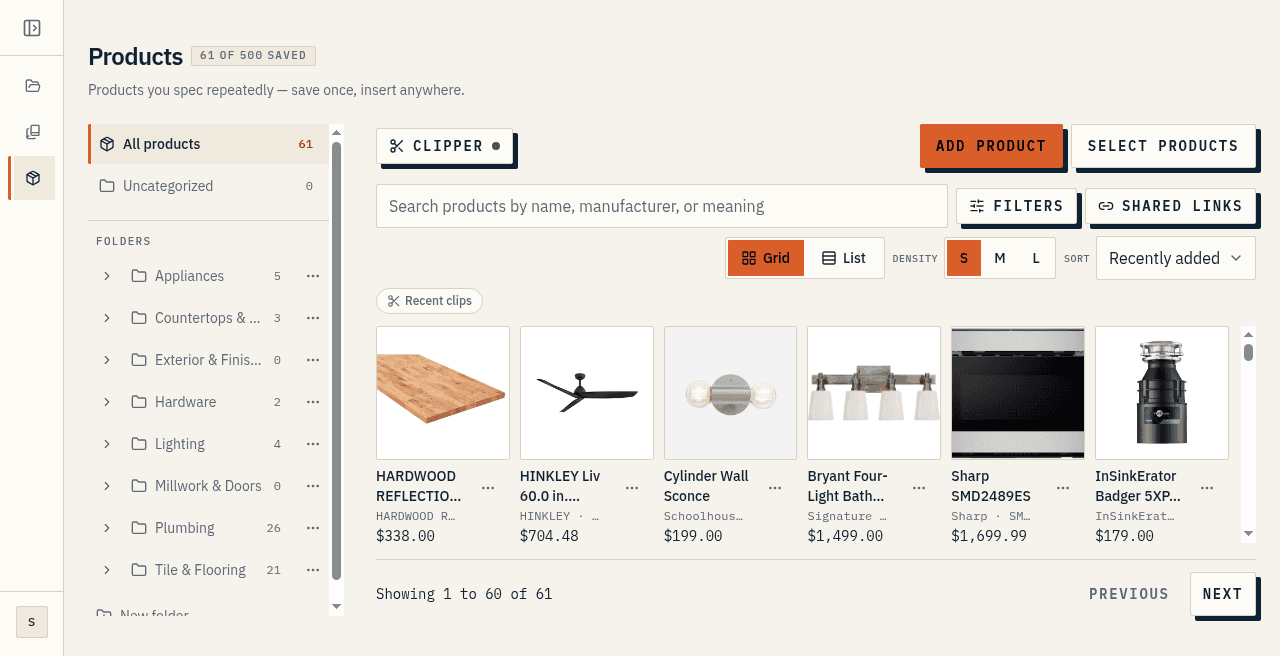
The finish schedule is the job. The library is the shelf of products you already sell, so Kitchen, Primary Bath, and the next spec house do not each start as a blank manufacturer-model-finish row. Keep the undermount sink, the matte black faucet, and the tile you actually order in one place, then place a saved card into a section. The row fills from the card. You still review manufacturer, model, and finish before anyone orders.
You open the library when a product is going to appear on more than one job, or when the same card belongs on three rooms in this house. It is not a second schedule and it is not a supplier catalog. It is your shop's own set of saved products, ready to drop onto a finish schedule.
Folders
Products live in a two-level folder tree. Main folders sit in a sidebar. Imports can arrive with a suggested folder already filled in, so a batch of links can file itself instead of landing in a pile. Use folders the way you already talk about stock: plumbing, tile, lighting, appliances, or by room package if that is how the shop thinks.
A folder is a place to find the card again. It does not change what lands on the finish schedule when you place the product.
Search, filters, and views
Search matches by meaning as well as by keyword, so a plain description can still find the right card. Exact names still rank first. Switch between a grid of photos and a compact list. The toolbar also has image size and sorts by recently added, name, price, and manufacturer. That choice is remembered on your account.
Deep filters are a soft claim. This page does not describe a full faceted filter suite. Folder, search, sort, and grid-or-list are the views you use to find a card you already saved.
Photos and detail
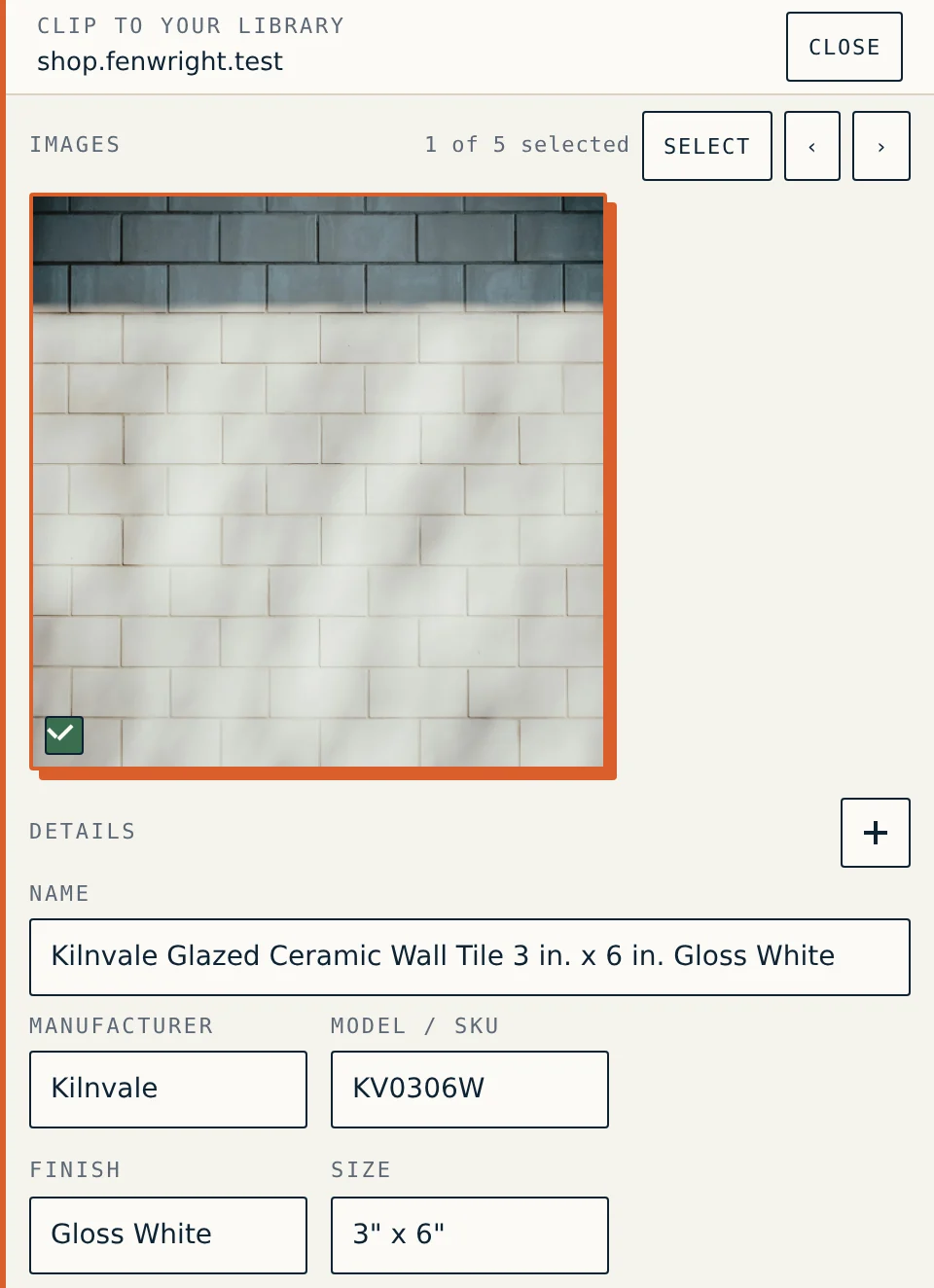
A saved product holds the identity a supplier orders against: name, manufacturer, model or SKU, finish, size, supplier, unit, notes, an image, and the source link. Click the photo to open the full editor. Cost can live on the product for your profit lens. It does not print on a client PDF and it does not appear on a share link.
Photos are how you recognize the card on a walk-through. Detail is what you place onto the row so the next job does not rebuild that record.
Clipper into the shelf
The browser clipper files a product page you already have open into the library without retyping every field. That path is soft: Clipper is paid intake, and some pages still need a review of manufacturer, model, and finish before you trust the card. Smart Import is the paste-a-list path. Photograph a box or a showroom tag when that is what you have.
You can also share a product link when someone else needs the same card, without giving them your whole library. Treat that as a soft path: it hands over one card, not the shop.
Reuse across jobs
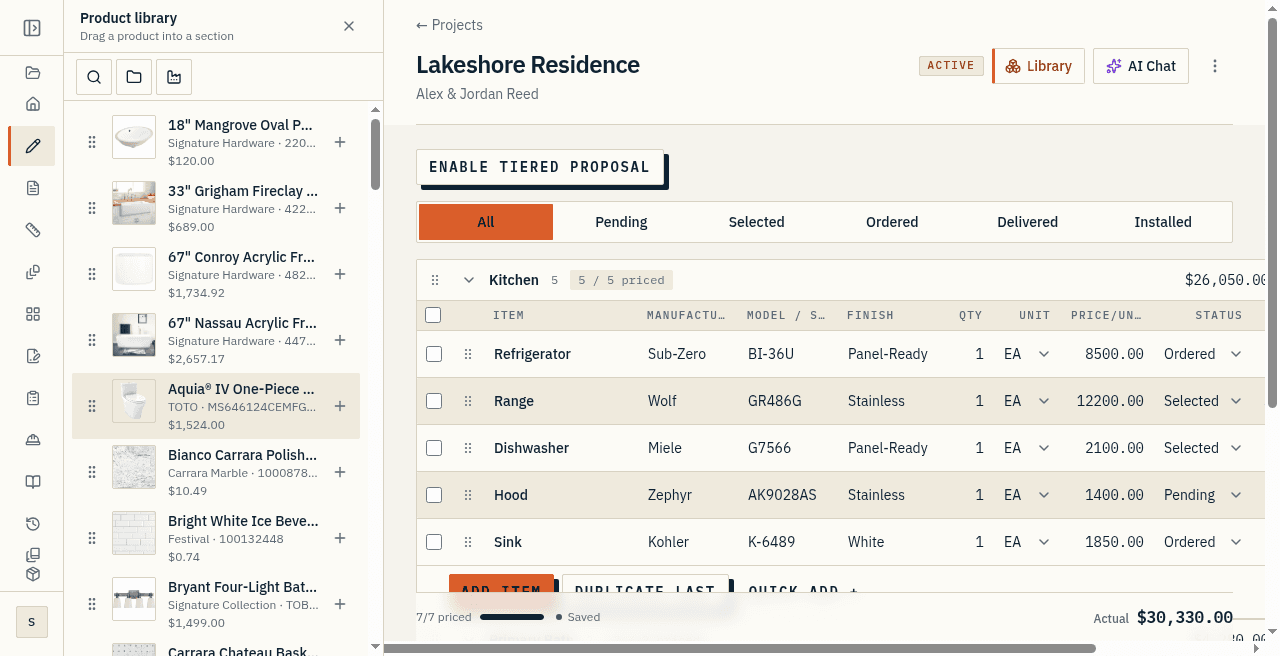
From a section in the spec editor, insert from the library. Pick the product and the row fills in. You are not retyping manufacturer, model, and finish on every job that uses the same undermount sink.
When you place a library product, the fields are copied onto the item. The item remembers where it came from, but the text on the item is its own. Correcting a typo in the library, changing a supplier, or deleting the product does not rewrite a spec you already sent. That claim is soft: treat the placed row as the record you handed over. If you want a live sheet to match a changed library card, re-insert it.
Library caps
Product library is on every paid plan. Caps: Starter 250, Pro 750, Studio 2000. Finite on every tier. Not unlimited.
Hitting the library cap upgrades toward the next paid plan. After paid access ends, existing products stay available to view but become read-only.
At a glance
- The library is the shelf of products your shop actually sells, ready to place onto a finish schedule.
- Folders, search, and grid or list views find a saved card. Deep filters are a soft claim.
- Place a saved product into a section without rebuilding manufacturer, model, and finish.
- Product library is on every paid plan. Caps: Starter 250, Pro 750, Studio 2000. Finite on every tier. Not unlimited.