The spec editor
Fill the finish schedule fast. Dense keyboard grid on desktop. Same rows, same project, on a phone. No second sheet to keep in sync.
7-day trial. Card required. Cancel before day 7 and you are not charged.
Available after you sign up.
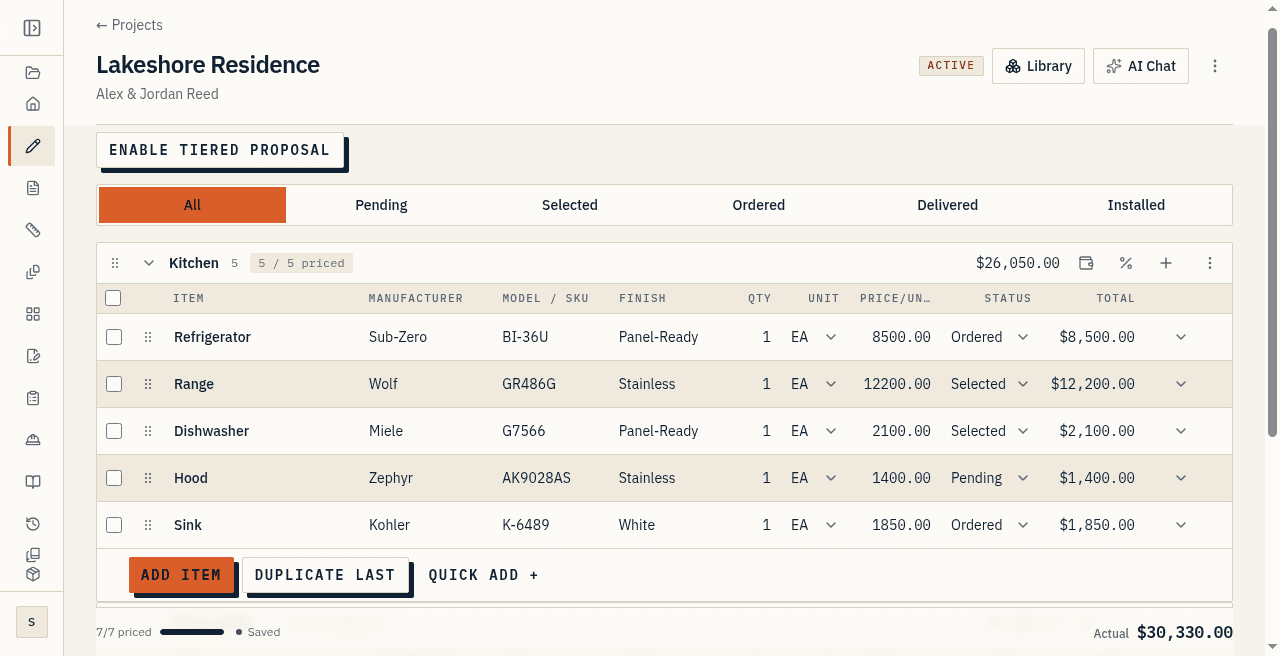
Two modes, one schedule
Desktop is the keyboard grid. Tab across fields. Enter commits the row and opens the next one.
On a phone the same rows become cards with a focused edit sheet. Touch targets are large, and money fields open a numeric keypad.
Both modes write the same project. You are not keeping a site copy and a desk copy.
Sections, items, and status
There is no per-item category field. The section heading carries it. A section called Kitchen or Primary Bath is the grouping and the category.
Status tabs filter pending, selected, ordered, delivered, and installed so you can see what still needs a decision.
Duplicate the last row when the next fixture is almost the same as the last one. Quantity starts at 1. Status starts at pending.
The row holds manufacturer, model, finish, quantity, unit, price, and status. Line total updates while you type.
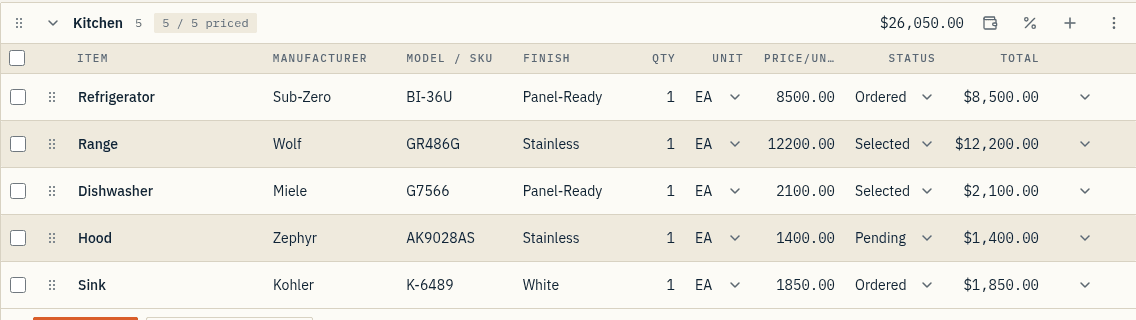
Pricing and markup in the row
Allowance lives on the line. The line total, the section subtotal, and the project actual update while you type.
Cost and markup stay in the editor for your eyes. They never print on a client PDF and they never appear on a share link.
Money columns use tabular numerals so a $1,400 hood lines up with an $8,500 refrigerator.
Autosave while you work
Each row saves on a debounce. There is no global Save button to forget on a flaky signal.
If the connection drops, the write queues and retries when you reconnect. Deletes are blocked offline rather than firing later against a sheet that has moved.
The installed app keeps working on a walk-through when the signal drops mid-house.
Good, Better, Best without a second sheet
The editor is where you turn on tiered proposals. You keep one schedule.
Lines that change get an override. The rest stay shared. Clients compare those tiers on the live link, not in a second file you have to keep in sync.
At a glance
- Dense keyboard grid on desktop; one card per item on your phone, both on the same project.
- Autosave on every row: no submit button, nothing lost on a flaky signal.
- Works offline with the installed app when the signal drops mid-walk.
- Duplicate the last row to repeat fixtures, tile runs, and trim packages.