Takeoff
BetaMeasure off the plan set. Upload the drawings, set a scale, and draw the quantities the finish schedule needs.
7-day trial. Card required. Cancel before day 7 and you are not charged.
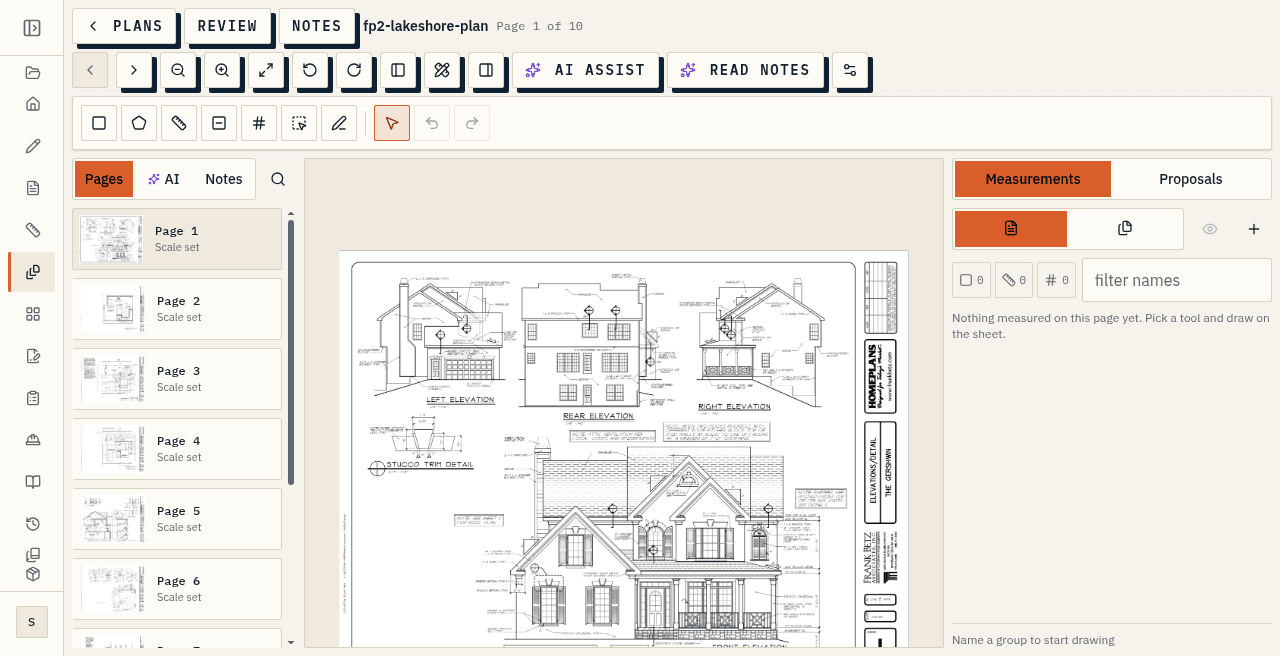
Plans and caps
Rooms and quantity takeoff stay available after you sign up. Uploading a plan set starts on Starter (3 plan sets per project), with higher caps on Pro (25 per project) and Studio (100 per project). Studio also caps active projects at 100; plan sets, templates, AI actions, and library size stay finite on every tier. Takeoff never writes money on its own. It exists so lengths, areas, and counts from the drawings can feed the finish schedule after you review them, not so a priced estimate invents itself from a PDF.
Takeoff ships in the app today and is still being built out. Builders should expect a useful measure surface that expands over time, not a finished estimating suite that replaces how they take off jobs end to end.
Scale, then measure
Finish schedules need quantities that match the drawings: floor area for tile and flooring, run lengths for trim and counters, fixture counts for plumbing and appliances. Takeoff is the in-project surface for measuring those off a plan set in the browser instead of keeping a parallel takeoff in another tool that never quite matches the sheet you send the client. You open it when you have a plan set and the schedule is about to need real quantities, or when a change on the drawings should update what you are about to Apply into the spec.
Bring the sheets into the browser once. Open, rename, and manage plan sets from Takeoff so you work from the pages that are ready in the set, not from a folder of unmarked PDFs on the desktop. Set each page scale from a preset or by drawing one known length on the sheet. Then measure areas, lengths, counts, and deducts in groups you can focus or hide while you work. Lengths snap to the nearest sixteenth of an inch and stay editable after you draw them, so a wrong run does not force you to start the measure over.
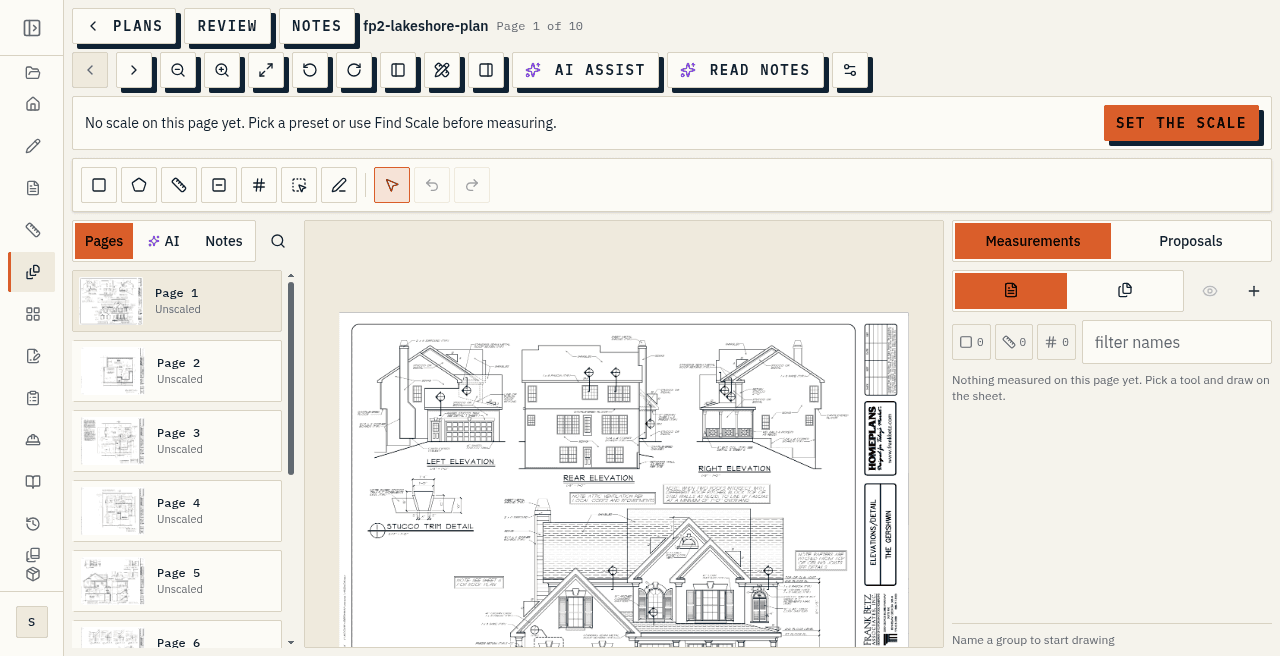
Apply only
Turn an area into a room in one click when that helps the schedule. Review groups in the Takeoff Summary before anything leaves the measure surface. A quantity reaches the finish schedule only when you press Apply. Nothing on a plan is shown to a client from Takeoff itself.
That gate is intentional. Measurement and the client-facing finish schedule stay separate until you say so, so a draft length or a working count cannot leak onto a share link or branded PDF. After Apply, the quantity sits on the schedule like any other figure you own: you can still edit allowances, selections, and status in the spec editor before handoff.
What this page does not claim
Takeoff is Beta, not finished. Do not claim Takeoff AI. Do not claim walls-with-openings gross/net math. Do not claim text-layer search or pin. Do not invent CSV or PDF export from Takeoff until inventory confirms it. Global AI settings in the product are a different surface from measuring a plan set.
At a glance
- Upload a PDF, PNG, or JPG. Pages render in your browser. Rooms and typed quantities stay available after you sign up.
- Nothing measures until a page has a confirmed scale. Then draw areas, lengths, counts, and deducts in groups you can focus or hide.
- Lengths snap to the nearest sixteenth of an inch and stay editable after you draw them.
- Takeoff never writes money. A quantity reaches the spec sheet only when you press Apply. Nothing on a plan is shown to a client.
- Takeoff is in beta. Takeoff AI is not live. This page does not claim wall openings, net lengths, text-layer search, or Takeoff CSV and PDF export.