Tiered proposals
Present Good, Better, Best on one spec sheet. Clients compare tiers on the live link. Pro+.
7-day trial. Card required. Cancel before day 7 and you are not charged.
Included on Pro and up.
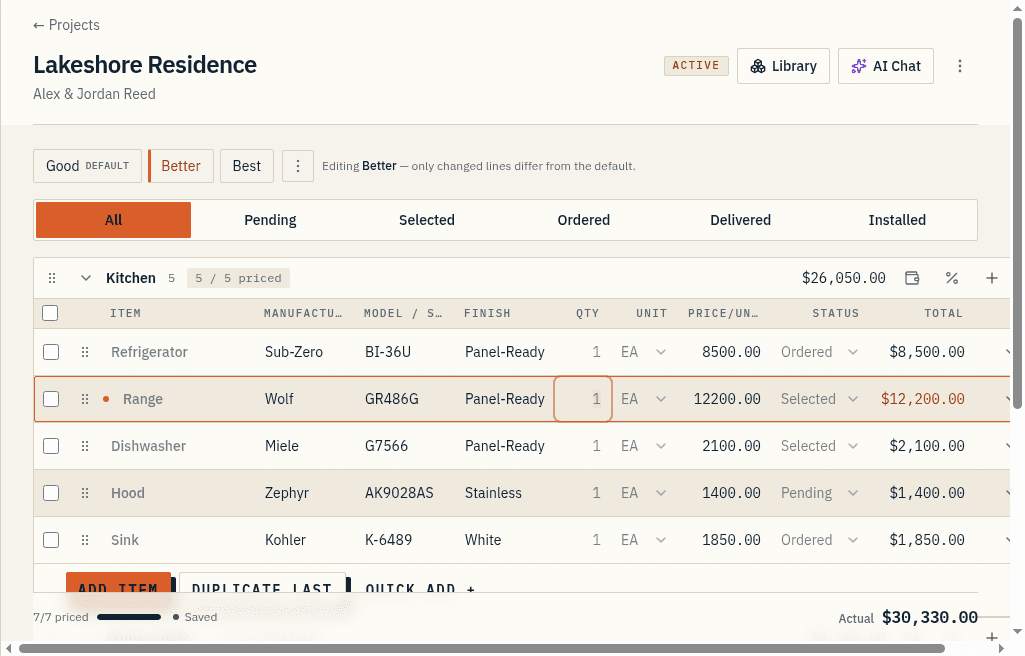
One sheet, up to three tiers
A project can carry up to three tiers. They default to Good, Better, and Best. You can rename them to Standard, Upgrade, Premium, or the client's own words.
You do not build three spec sheets. You build one, then set a variant on the lines that actually change.
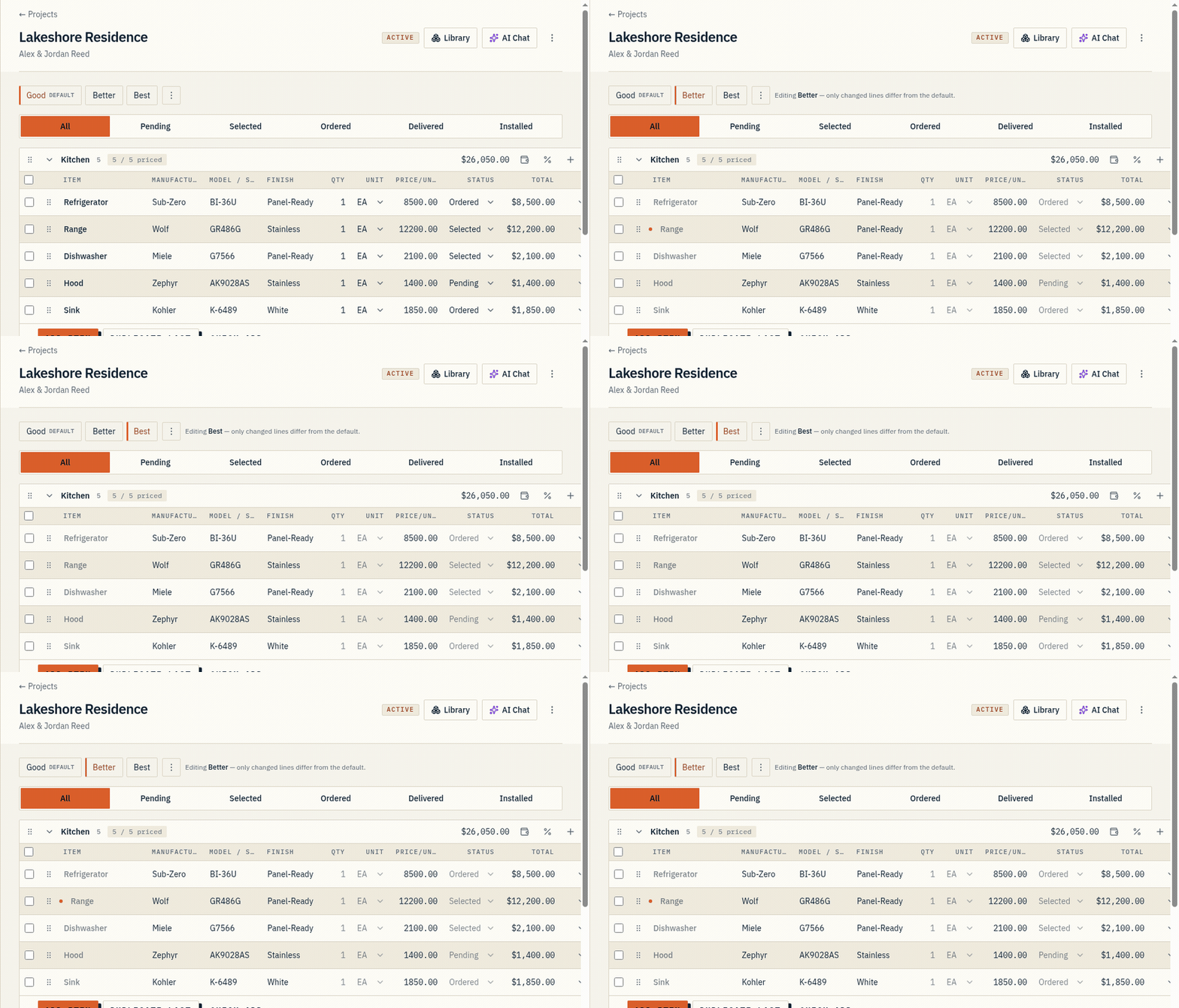
Overrides only where it changes
A line with no variant appears the same in every tier.
A line with variants shows its own manufacturer, model, finish, and price per tier. Framing stays framing. The twenty lines the client has an opinion about are the ones you override.
Revert to base
Revert any line back to the shared base in one click.
There is no second sheet to keep in sync when the client picks Better and then asks to put the range back.
Clients flip tiers on the link
On the live share link the client switches between tiers and watches the sheet and the totals change.
Browsing a tier does not select it. When you want a decision on the record, that is a formal approval, and the snapshot captures which tier they approved.
At a glance
- Turn one spec sheet into up to three proposal tiers (Good, Better, Best) that you can rename and reorder.
- Only the lines that change carry an override: swap the product, price, or finish per tier while the rest of the schedule stays shared.
- Revert any line back to the base in one click. No duplicate sheets to keep in sync.
- Clients flip between tiers on the live share link and watch the total update, no account required.