Finish Schedule in a Spreadsheet: When It Works, When It Costs You
June 5, 2026 · 4 min read
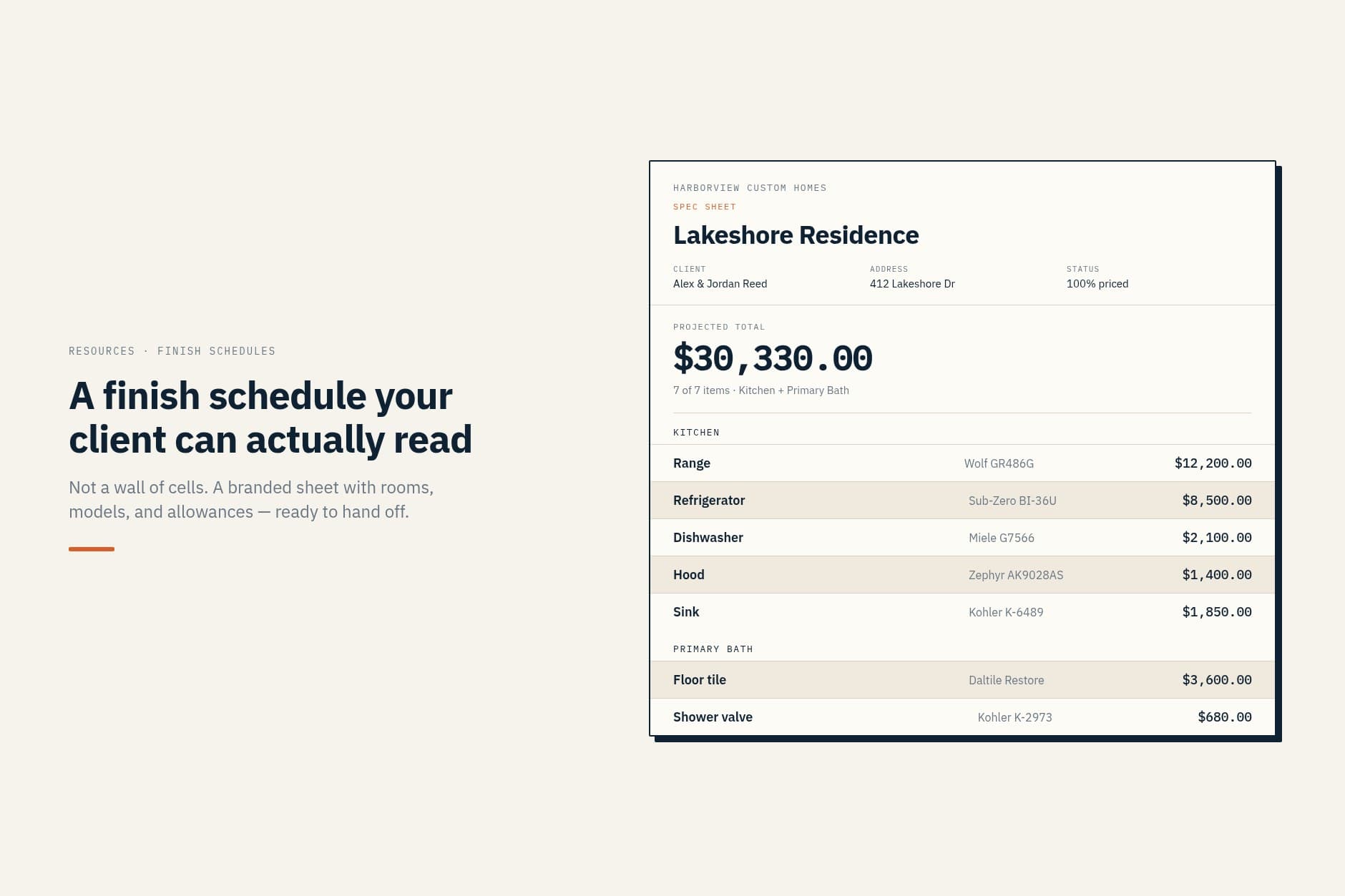
If your finish schedule lives in a spreadsheet, this is not a pitch to abandon it. For a solo remodel with a handful of rooms, a clean spreadsheet is fast and it works. The trouble starts when the spreadsheet has to leave your screen. The client opens a wall of cells with no photos, the version in your inbox is two selections behind, and you are the one rebuilding it into something presentable at 9pm. Here is an honest look at where a spreadsheet holds up and where it starts costing you.
Give the spreadsheet its due
Excel and Google Sheets are free, flexible, and familiar. You can add a column in ten seconds. You can sort by room, filter by status, paste a model number from a supplier email. For a solo operator on a small scope, that speed is real value.
If the job has four rooms, one decision-maker, and you are the only person placing orders, a spreadsheet may be all you need for months. Mean that. Do not fix what is not broken on a small job. If you need a sheet to start from, use the free finish schedule template.
Failure mode 1: it is not a client deliverable
A spreadsheet on your laptop is a working document. A wall of cells with no photos, no brand, and no plain-language labels is not something a homeowner signs with confidence.
Clients need to see what they picked. Trades need model numbers. Those are two documents; here is the difference between a selection sheet and a finish schedule. A grid built for your eyes forces you to reformat every time the document leaves your screen. That reformat is unpaid work, and it happens on every send.
Failure mode 2: version drift
You have the master on your drive. The client has a PDF from last week. The tile setter has a screenshot from a group text. The supplier has an attachment from Monday.
Three copies, none marked "live." Someone orders from the wrong one. You discover it when the wrong box shows up, or when the client says the sheet they signed does not match what is on order.
Version drift is not a spreadsheet bug. It is what happens when there is no single shared source that updates once. The guide to what goes on a residential construction selection sheet starts from the same rule: one sheet, and it is the only one.
Failure mode 3: the 9pm rebuild
The client asks for an updated finish schedule before tomorrow's meeting. Your spreadsheet has the data. It does not have the layout.
So at 9pm you merge cells, paste images one by one, tweak column widths, export to PDF, notice a typo, fix it, export again. You have done this a hundred times. It is still an hour of work that does not move the job forward. It is presentation labor on top of the thinking you already did when you entered the rows.
The thinking belongs in the schedule. The rebuild does not.
Failure mode 4: allowance tracking without a formula maintenance job
You can track allowance vs actual in a spreadsheet. You probably built a column for variance and a SUM at the bottom. Then someone adds a row without copying the formula. Or merges cells and breaks the reference. Or sends the client a PDF that strips the formulas entirely.
Now the running total is wrong and nobody notices until closeout. Software that treats allowance as a field on each line removes that fragility. For what those fields are, see what to include in a spec sheet.
Keep the speed, lose the manual output step
The honest line: nobody needs to replace your judgment about products and rooms. What software replaces is the rebuild, not the thinking.
You still pick the faucet. You still set the allowance. You still get the signoff. You stop re-laying out the same rows into a client-ready PDF every time the selection changes.
If you are building the column list from scratch, start with finish schedule template: what actually belongs on one.
Know when the spreadsheet stops being enough
Stay on the sheet while the job is small and you are the only audience. Move to a shared, client-ready finish schedule when the document has to leave your screen more than once, when version drift shows up in orders, or when you are rebuilding PDFs at 9pm instead of running the job.
That is the line between a spreadsheet that works and a spreadsheet that costs you.
Keep the speed, skip the 9pm PDF rebuild
Choose the plan that fits your workload.
7-day trial. Card required. Cancel before day 7 and you are not charged.